





20%
Related products


0.0
Derived from 0 ratings and 0 reviews
Rating Breakdown
5 stars
0
4 stars
0
3 stars
0
2 stars
0
1 stars
0
AI Technology
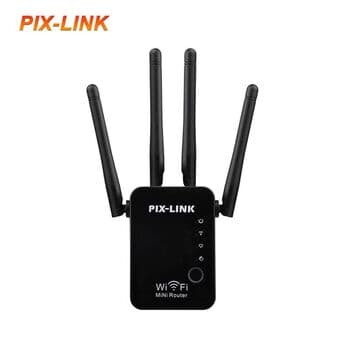
pix-link
20,000IQD
25,000 IQD
Save 5,000(20% off)
Quantity:
1
About the product:
Category:Networking
SKU:WR16Q
Brand:Other
Condition:New
Color:Black
Description
Quick Setup Guide Connection: Plug the device into a power outlet near your router. Connect your phone or PC to the WiFi network named SSID-XXXXX (found on the device sticker). Access Interface: Open a web browser and enter http://192.168.7.1 (or setup.pix-link.net). The default login password is admin. Configuration: Select Repeater Mode. Scan for your existing WiFi network a...
Shop Safe & Secure
Delivery across Iraq
Fast and reliable delivery to all regions of Iraq.
Safe Delivery Guaranteed
We guarantee your order arrives safely and exactly as described.
Customer Support
Our team is available to help you with any questions
Return within 24 hours
You have 24 hours to request a return or replacement for any faulty or damaged product
Customer reviews
0.0
Derived from 0 ratings and 0 reviews
Related products